



InSight® Display System
Integrated Flight Deck
Modernize your flight deck with advanced glass cockpit flight information display systems. InSight combines our passion and vision for the future of avionics with customer desires and the industry's high expectations for quality, featuring embedded synthetic vision with advanced mapping, weather, terrain, and traffic awareness to enhance safety and situational awareness.
Overview
Integrated Flight Deck with InSight
The InSight Display System is designed as an integrated flight deck solution, featuring embedded synthetic vision with advanced mapping capability, electronic charts, and radio control. With fewer required external Line Replaceable Units (LRU) for essential functions than traditional avionics systems, InSight means less avionics weight and wiring for your aircraft, which equates to cost savings on the installation.
As an integrated solution, InSight retains the ability to interface with a large number of federated components such as attitude/heading sensors, air data computers, radars, traffic systems, radios, and autopilots. InSight translates into lower operating and maintenance costs for your flight operations while providing enhanced safety, situational awareness, and functionality for pilots
- Lower Operating and Maintenance Costs
- Enhanced Safety and Situational Awareness
- Improved Functionality
- Next generation SVS with cutting-edge graphics
- Advanced Radio Control
- Embedded Electronic Charts with aircraft present position
- Interactive digital maps
- Pilot-selectable screen layouts with graphical user interface
- Full engine integration
- Path to NextGen and SESAR
Specifications
EFI-1040
- Bezel Size: 9.86 in. H x 7.86 in. W
- Depth: 8.70 in.*
- Image Size: 8.29 in. H x 6.21 in. W
- Weight: 12.13 lbs.
- Faceplate Color: Gray or Black

ECDU/Touch ECDU
- Bezel Size: 3.93 in. H x 5.75 in. W
- Depth: 6.60 in.
- Image Size: 2.55 in. H x 4.25 in. W
- Weight: 5.75 lbs.
- Faceplate Color: Gray or Black

ANK
- Bezel Size: 2.06 in. H x 5.75 in. W
- Depth: 5.16 in.*
- Weight: 1.5 lbs.
- Faceplate Color: Gray or Black

SD Card Server Panel Mount
- Bezel Size: 1.125 in. H x 4.75 in. W
- Depth: 4.49 in.*
- Weight: 0.70 lbs.
- Faceplate Color: Gray or Black
SD Card Server Panel with DZUS Mount
- Bezel Size: 1.125 in. H x 5.75 in. W
- Depth: 4.245 in.*
- Weight: 0.74 lbs.
- Faceplate Color: Gray or Black

DCU II
- Size: 7.76 in. H x 3.56 in. W (3 MCU LRU)
- Depth: 15.23 in.*
- Weight: 13.04 lbs.

Supported Interfaces
- Analog and Digital Air Data, Attitude, and Heading Sources
- Digital Engine Data
- Weather Radar Display (Profile Views when provided)
- Electro-Optical/Infrared Imaging Systems (via NTSC/RS-170 composite video)
- Analog Video/Mission Computers (via VGA/SGA/XGA)
- Embedded Synthetic Vision with Multiple Simultaneous Views
- Lightning Sensor system (via ARINC 429)
- Analog and Digital Flight Director/Autopilot
- Radio Altitude Systems
- Specific versions of the ASCB bus system
- Radio Tuning and Control via ARINC 429, CSDB, and Honeywell RSB
Compatible Integrations

KAPTURE® CVR/FDR

UniLink™ CMU
Enable two-way air-to-ground digital communications between the pilot and ATC to take advantage of the safety and efficiency benefits of data link capabilities.
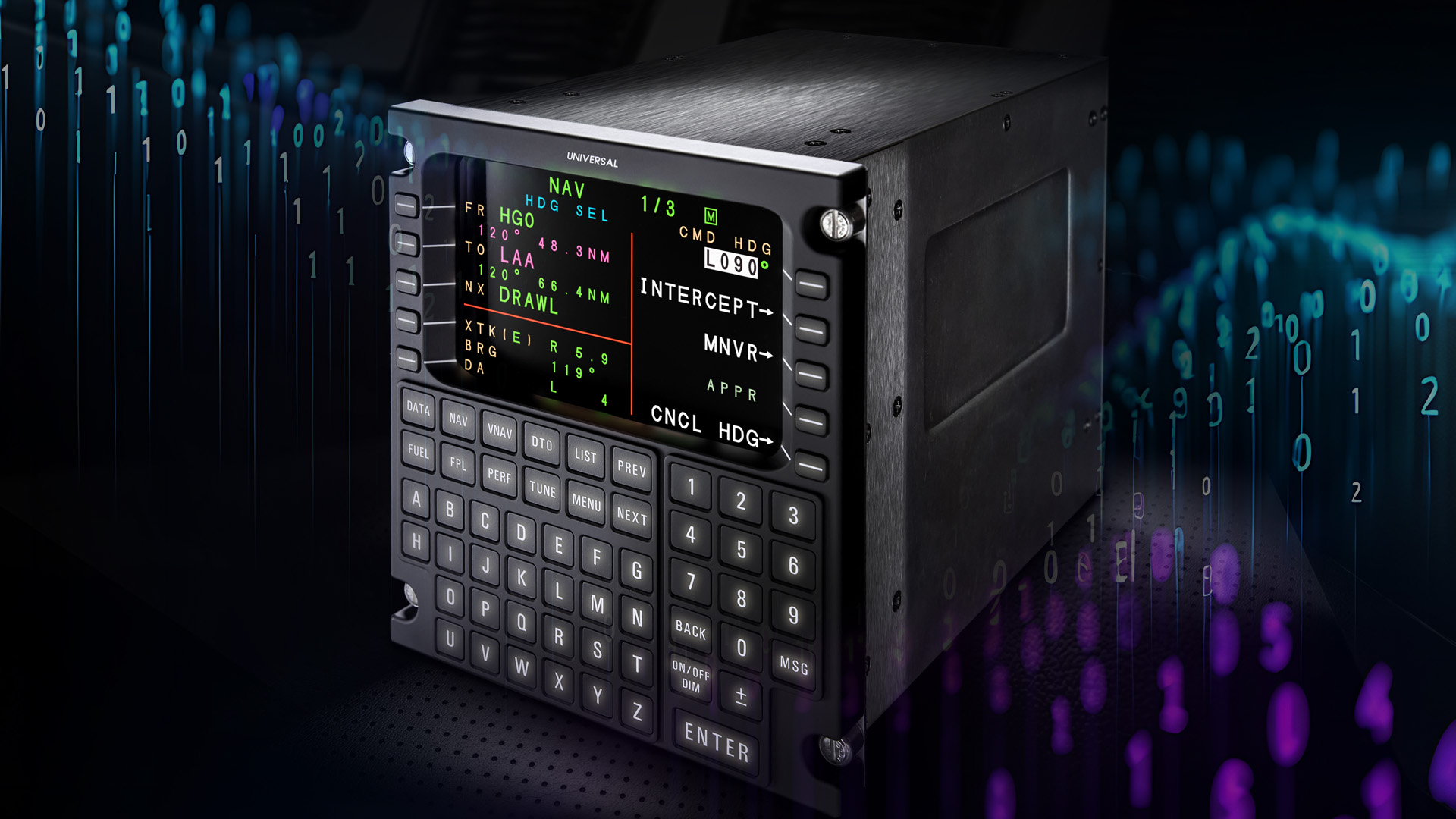
UNS-1Fw Universal FMS
Flight Management System with Satellite-Based Augmentation (SBAS) that integrates with next-gen upgrades for Data Comm and LPV.
Databases
InSight includes a range of required and optional databases to meet your aircraft needs and flight requirements. Databases include:
- Terrain
- Obstacle
- Navigation Reference
- Airport Mapping
- Electronic Terminal Charts (eCharts)
Databases are downloaded using the Universal Avionics custom-designed Data Download Tool (DDT), a Microsoft® Windows® based PC tool. InSight databases are uploaded into the system via Secure Digital (SD) memory card either via the SD Card slot on the front right side of the Alphanumeric Keyboard (ANK) or the center of the SD Card Server if an ANK is not part of the InSight installation.
Data Download Tool
The Data Download Tool (DDT) is a Microsoft Windows-based PC tool used to download InSight aeronautical database updates; Terrain, NAV Reference, Obstacles, and Airport Mapping (AMDB) databases supplied by Universal Avionics, and the eCharts database supplied by Jeppesen. The DDT is available to customers and Authorized Dealers/Integrators as a download from the UniNet Online Service Center (a UniNet account is required).
Database updates are downloaded via the DDT and stored on the PC's hard drive, then exported to SD Card for upload into InSight via the Alphanumeric Keyboard (ANK) or SD Card Server if an ANK is not part of the InSight installation.
DDT Minimum Requirements
- Processor: Intel Core 2 Duo E7500 or equivalent processor
- RAM: 2 GB at 1066 MHz or better
- Hard disk space: 32 GB free space
- Network: 1.5 Mbit/s connection
- Removable Media: Class 10 32 GB SD card through USB 2.0 or equivalent SD reader
- Operating System: Windows 7 or newer
FAQs
Is there a certified Universal Avionics upgrade for my aircraft?
How do I start a Universal Avionics navigation database subscription?
How can I connect an iPad to my Universal Avionics FMS?
What does Universal Avionics Connected Avionics do?
How do I buy Universal Avionics products or request a quote?
Resources
InSight Display System - Solution Catalog Download PDF
InSight™ Display System - Technical Overview Download PDF